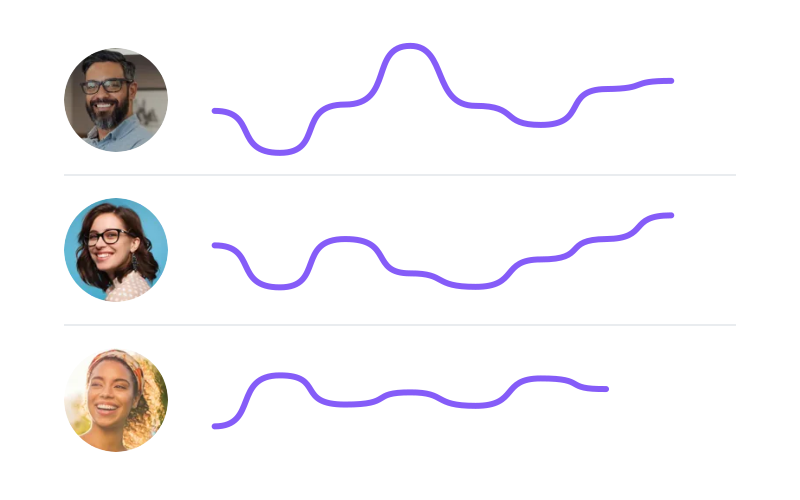
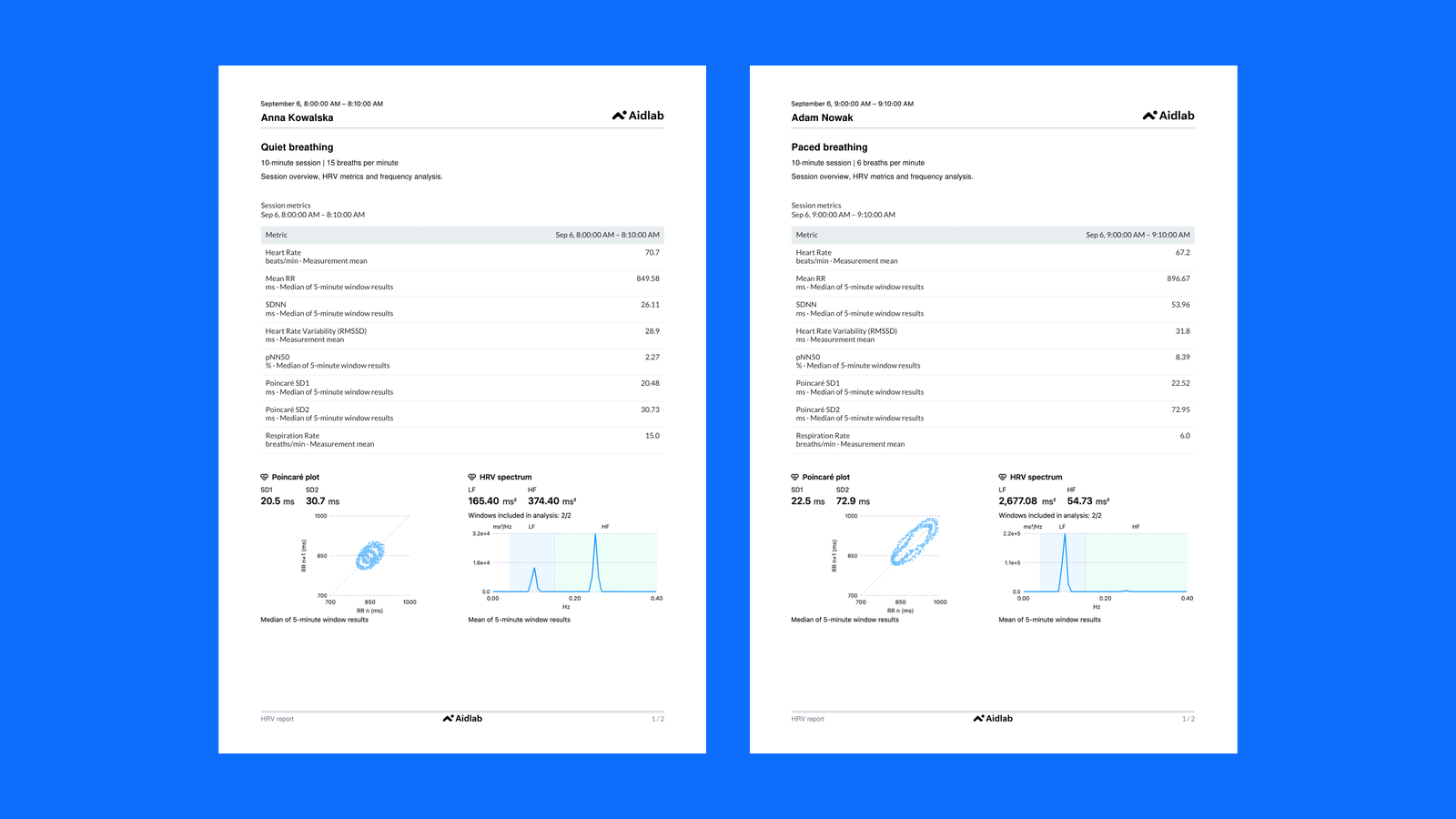
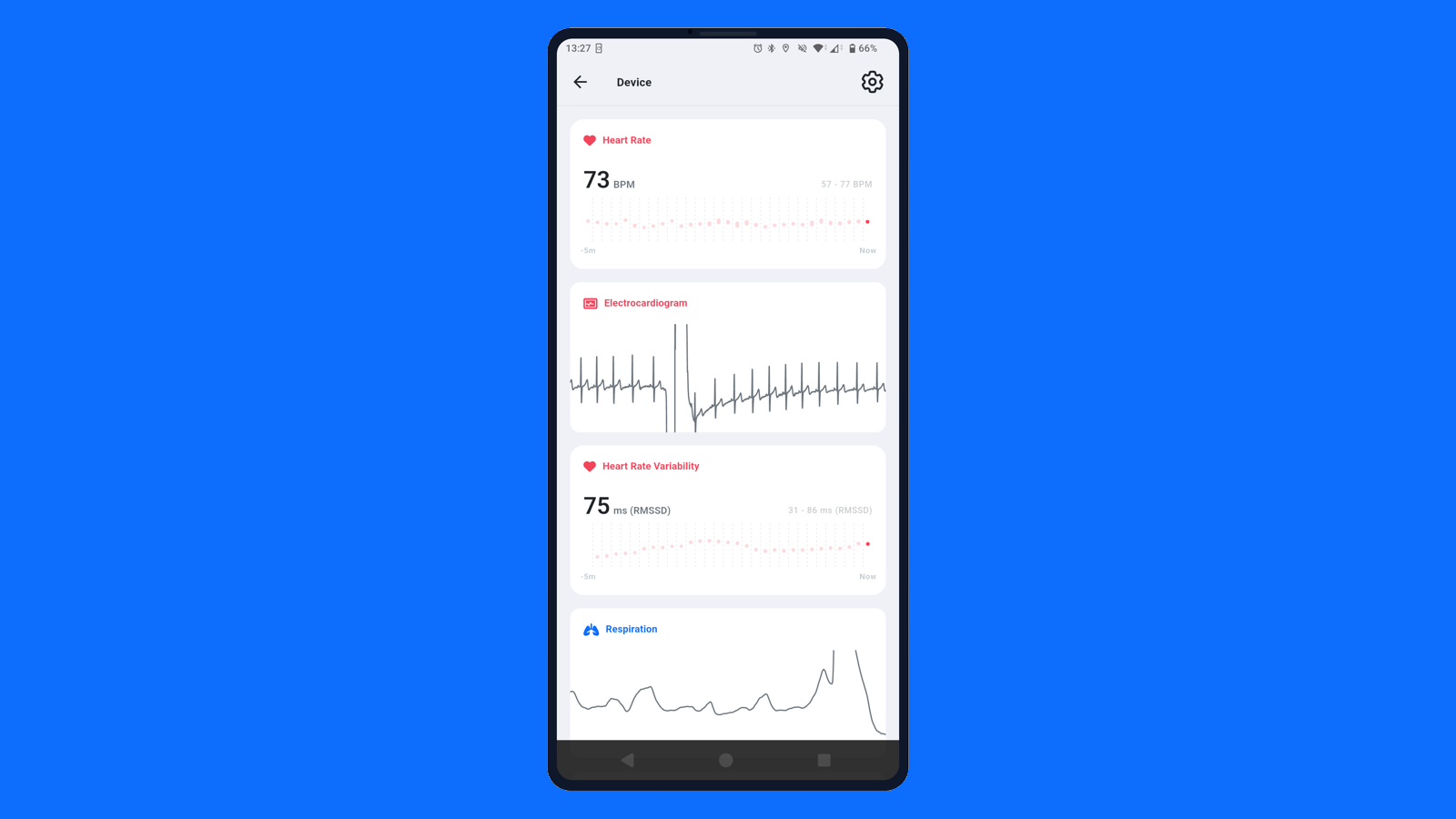
Przebudowaliśmy raporty wokół czytelniejszego układu dwóch kolumn. Wykresy i tabele mają teraz więcej miejsca. Możesz dodawać tabele metryk, dzielić wyniki według okresów lub sesji i porównywać sygnały z poprzednim okresem. Rozbudowaliśmy konfigurację, w tym osobne ustawienia podziału wyników dla eksportu PDF. Zespoły z planem Enterprise mogą też dodać wykresy Poincaré i analizę częstotliwościową HRV oraz skorzystać z nowego szablonu programu biofeedback.
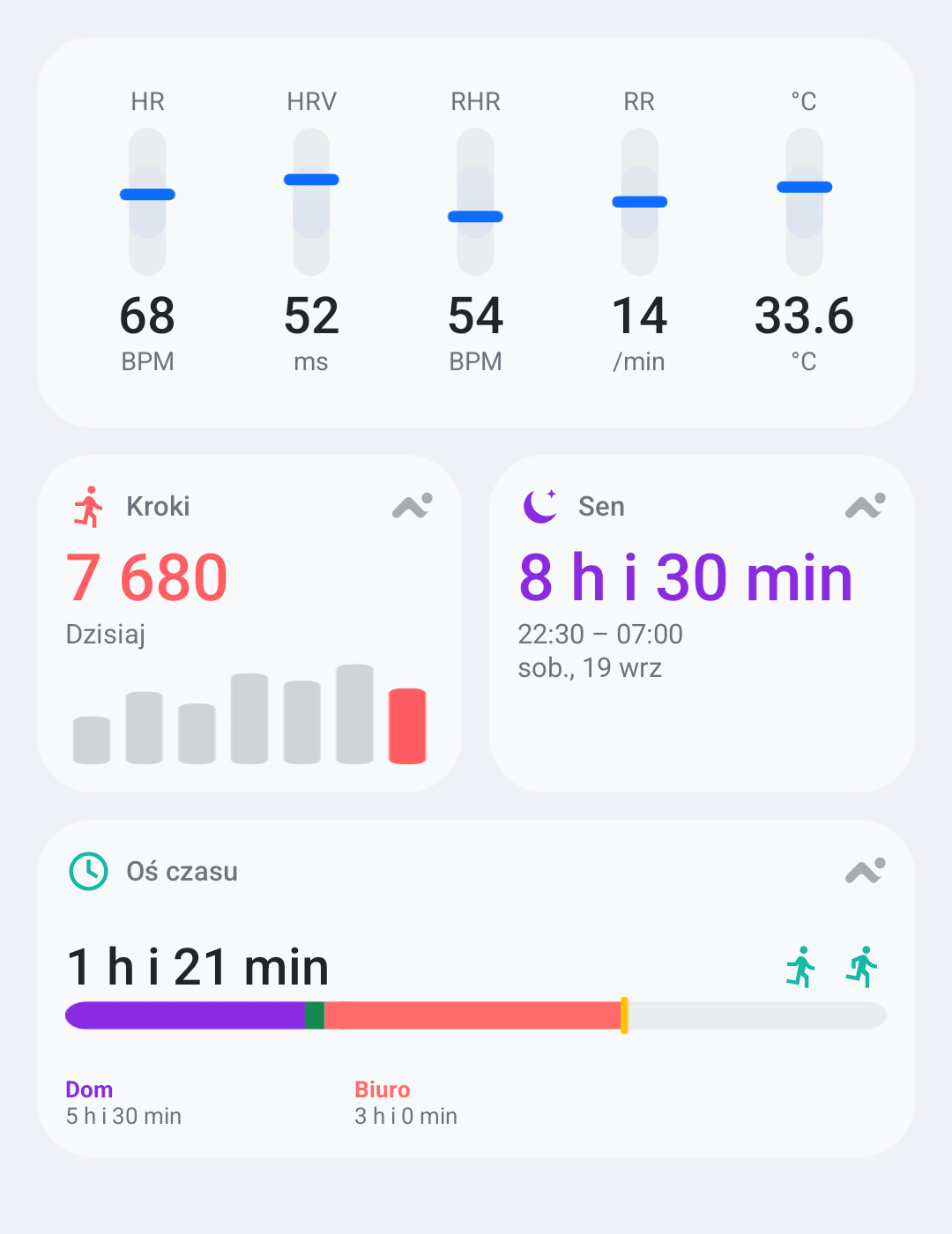
Sen, kroki i przebieg dnia sprawdzisz bez otwierania aplikacji. Nowe widgety na Androidzie pokazują je na ekranie głównym telefonu. W samej aplikacji dodaliśmy też pozycję podczas snu i temperaturę skóry do widoków zdrowia.
Aidlab wymaga teraz Androida 12 lub nowszego. Dodaliśmy poprawki związane z uruchamianiem aplikacji i obsługą uprawnień Bluetooth, wsparcie dla iOS 27 oraz możliwość zapisywania RMSSD w aplikacji Zdrowie na obsługiwanych urządzeniach.
Panel
Eksport EDF zachowuje przebieg pomiaru
Eksport EDF może teraz obejmować wszystkie trzy osie akcelerometru obok zarejestrowanych sygnałów. Dłuższe eksporty zachowują rzeczywiste przerwy i dzielą nieciągłe zapisy na osobne pliki, a krótkie przerwy w EKG nadal są interpolowane, dzięki czemu narzędzia analityczne otrzymują wierniejszą oś czasu.
Aidlab SDK 2.5.6 poprawia komunikację z urządzeniem podczas zbierania danych, synchronizacji i rozłączania. Naprawiliśmy też rozpoznawanie bezruchu, który bywał oznaczany jako nieznana aktywność. Aktualizacja zawiera również ostatnie poprawki integracji iOS przez Swift Package Manager.
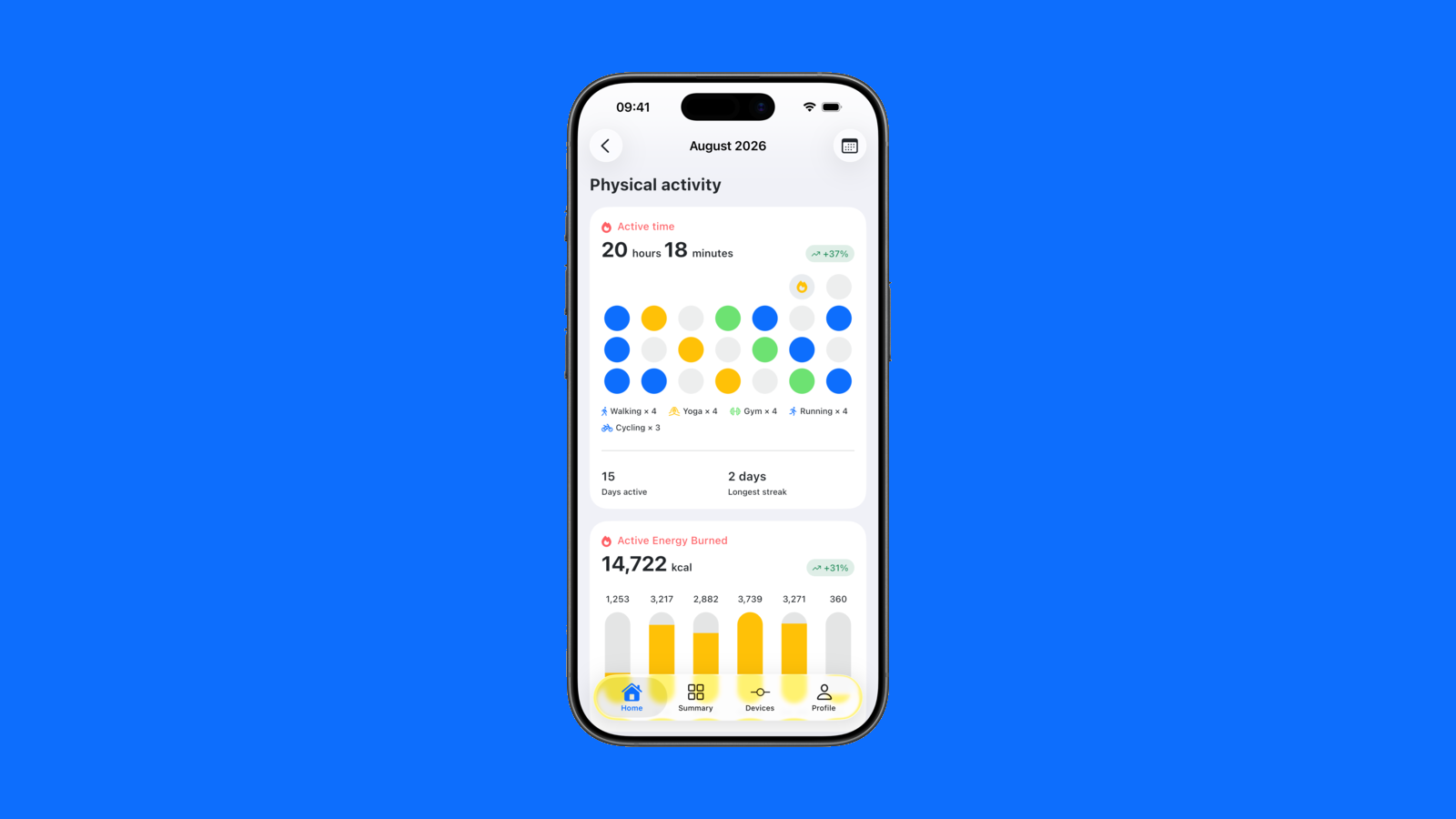
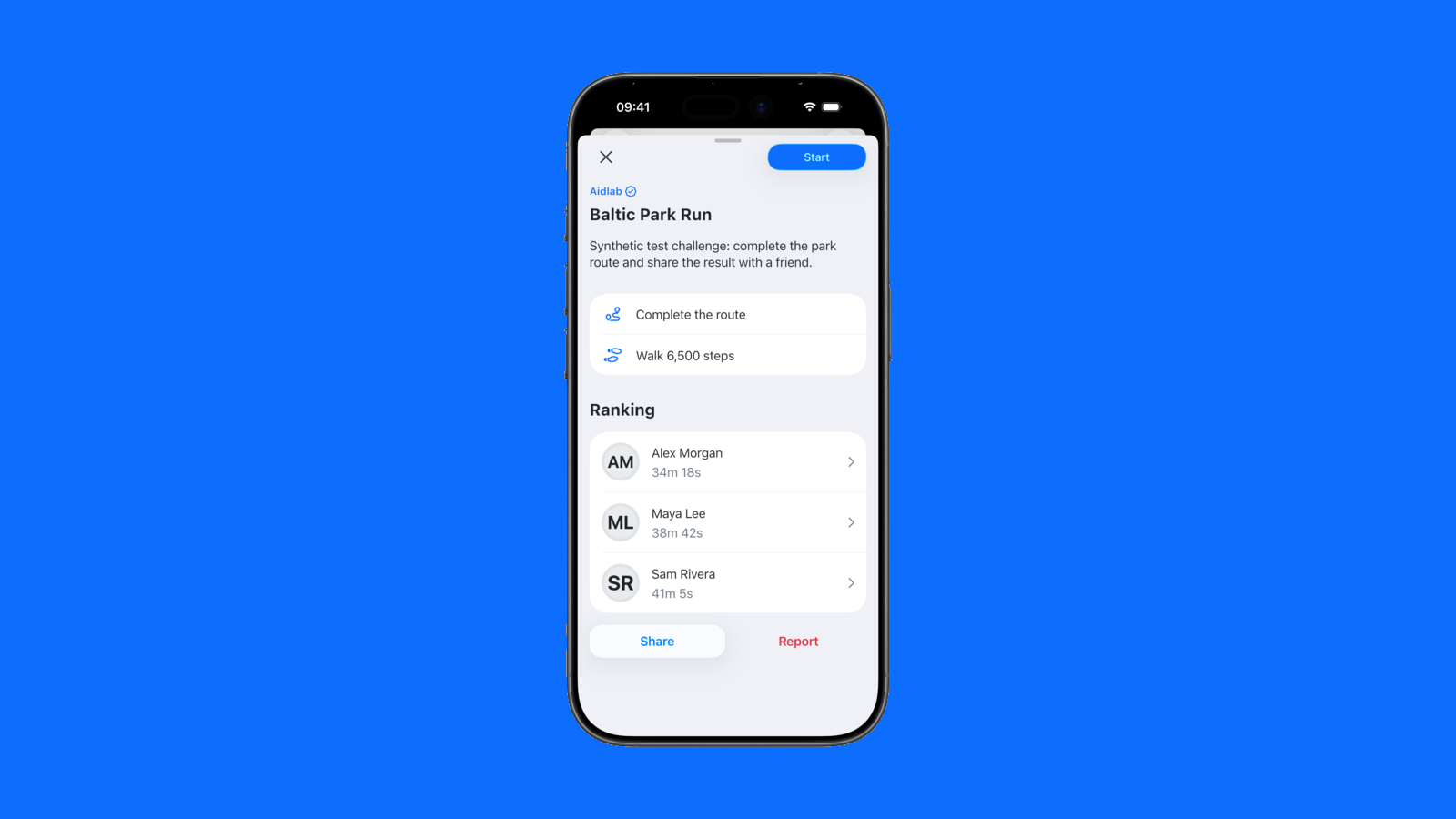
Aktywność, regeneracja, tętno i sen spotykają się w miesięcznym podsumowaniu. Porównaj ostatnie tygodnie, a potem zaproś kogoś do wyzwania i śledźcie swoje wyniki na tej samej trasie.
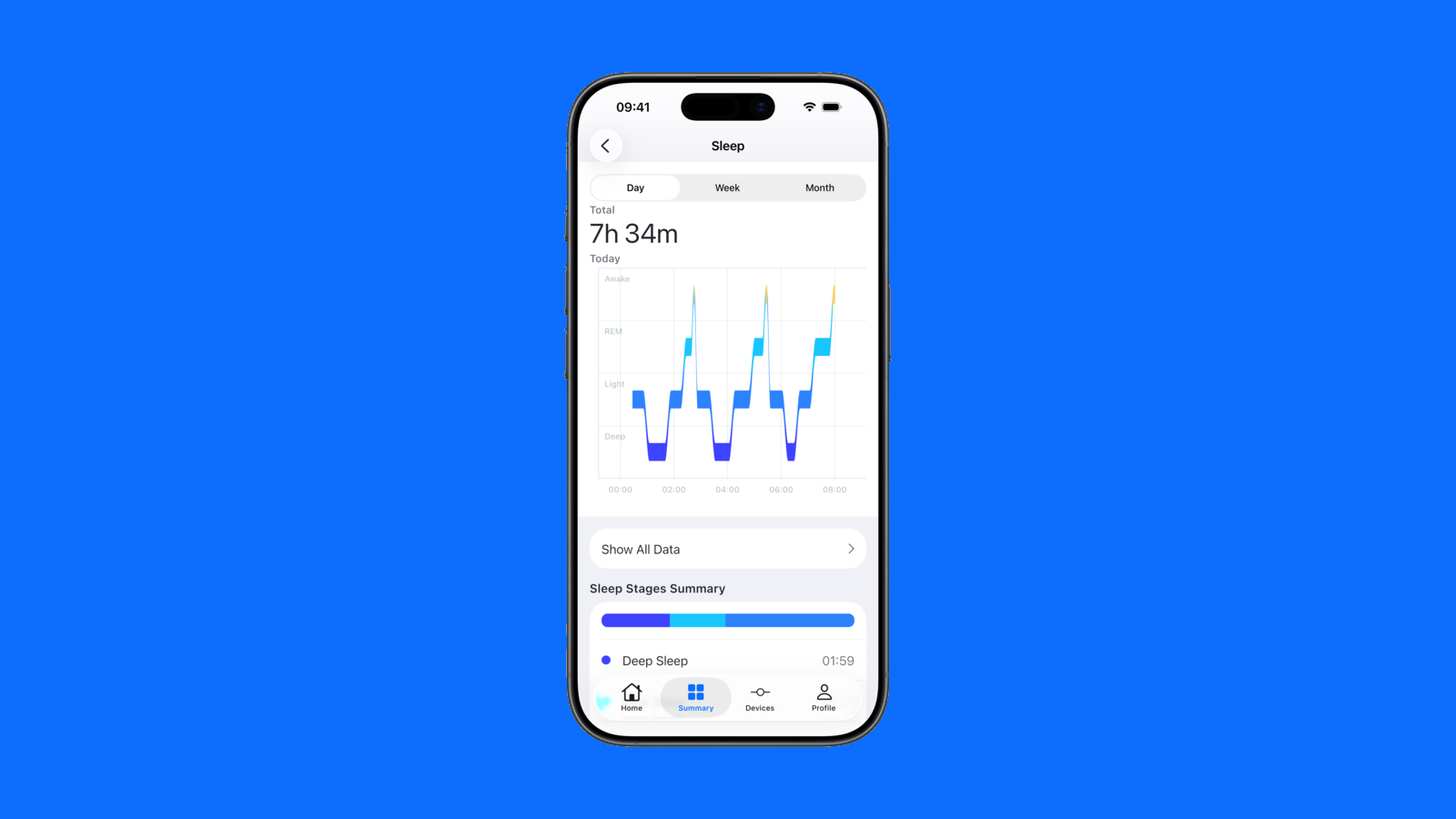
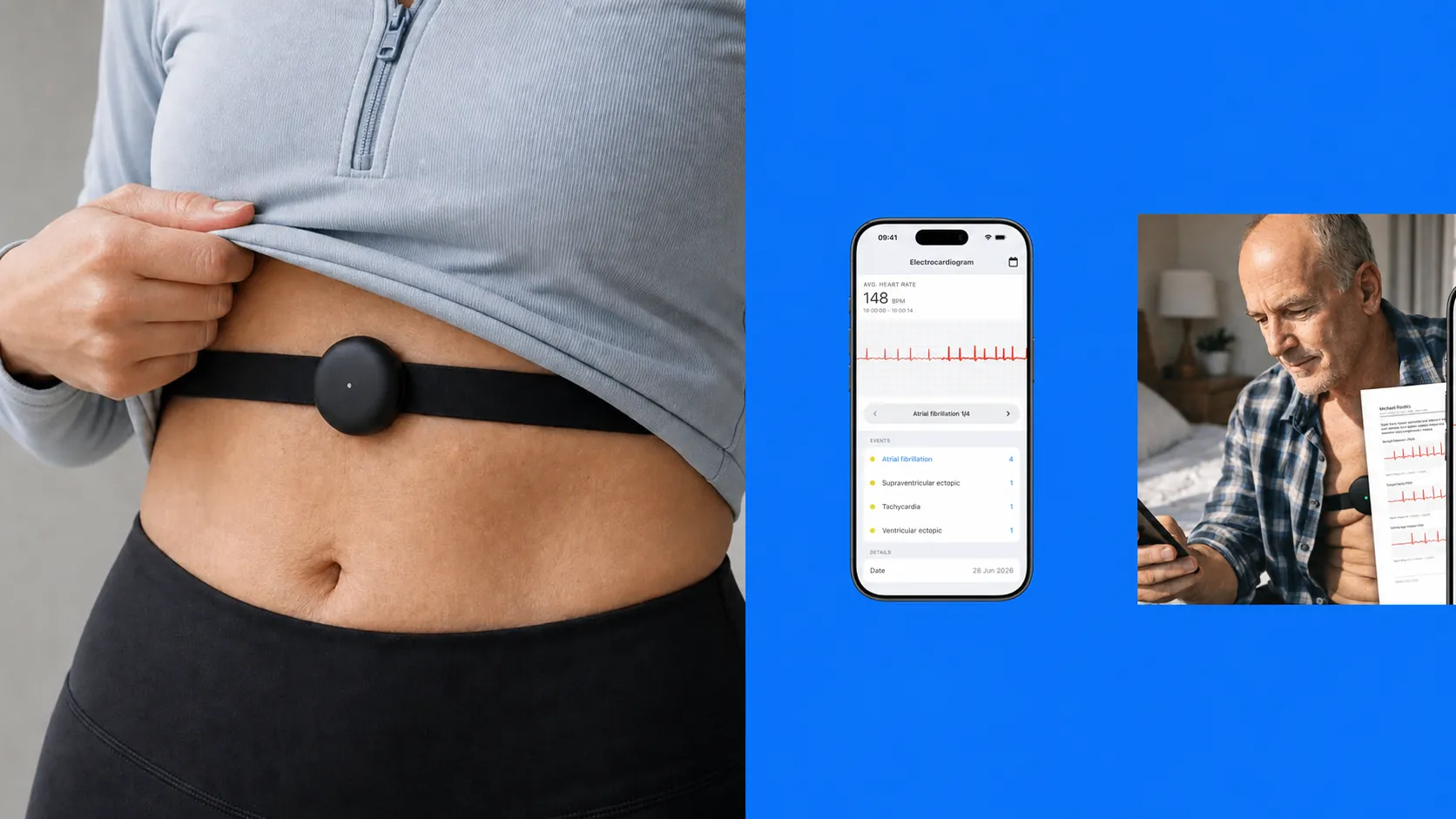
Fazy snu są teraz czytelniejsze, przechodzenie między datami wygodniejsze, a synchronizacja danych bardziej niezawodna. Analiza snu na żywo lepiej radzi sobie z krótkimi przerwami w sygnale, a zaktualizowana analiza EKG i wskazówki dotyczące dopasowania paska pomagają utrzymać dobrą jakość zapisu.
Aidlab
Wygodniejszy przegląd EKG
Zaktualizowaliśmy klasyfikację pobudzeń, żeby ułatwić przegląd zapisów EKG. Poprawiliśmy też raporty indywidualne i sprawdzanie jakości sygnału.
API
Zapytaj AI o swoje dane Aidlab
Połącz Aidlab ze swoim narzędziem AI przez MCP i zapytaj o kroki, tętno, HRV lub sen. To Ty udzielasz dostępu do danych. Połączenie pozwala wyłącznie na ich odczyt.
Sekcja Aktywności nazywa się teraz Wyzwania. Przeprojektowaliśmy mapę i dodaliśmy filtry według rodzaju aktywności, trudności oraz wymogu korzystania z Aidlab. Cele są czytelniejsze, a ukończone Wyzwania pokazują historię prób, rekordy osobiste i szczegóły rankingu.
SDK
Jedno API Unity SDK na wszystkich platformach
Odświeżyliśmy pakiet Aidlab Unity SDK 2.5.0, wprowadzając jedno API Aidlab.AidlabSDK dla Androida, iOS, macOS i Windows. Usunęliśmy przestarzałe, dostępne tylko na Androidzie punkty wejścia Aidlab i IAidlab, a poprawiony most BLE dla Windows eksportuje teraz ReadData i SetWriteWithoutResponse zgodnie z wymaganiami dołączonego API C#.
Panel
Czytelniejsza obsługa niepełnych danych
Wykresy w dashboardzie wyraźnie oznaczają częściowo dostępne dane, zamiast przedstawiać niepełne wyniki jako ostateczne. Zakresy dat i raporty bardziej spójnie obsługują też godziny graniczne, dzięki czemu podsumowania pozostają dokładne.
Aplikacja mobilna
Pewniejsza synchronizacja zdrowia i treningów
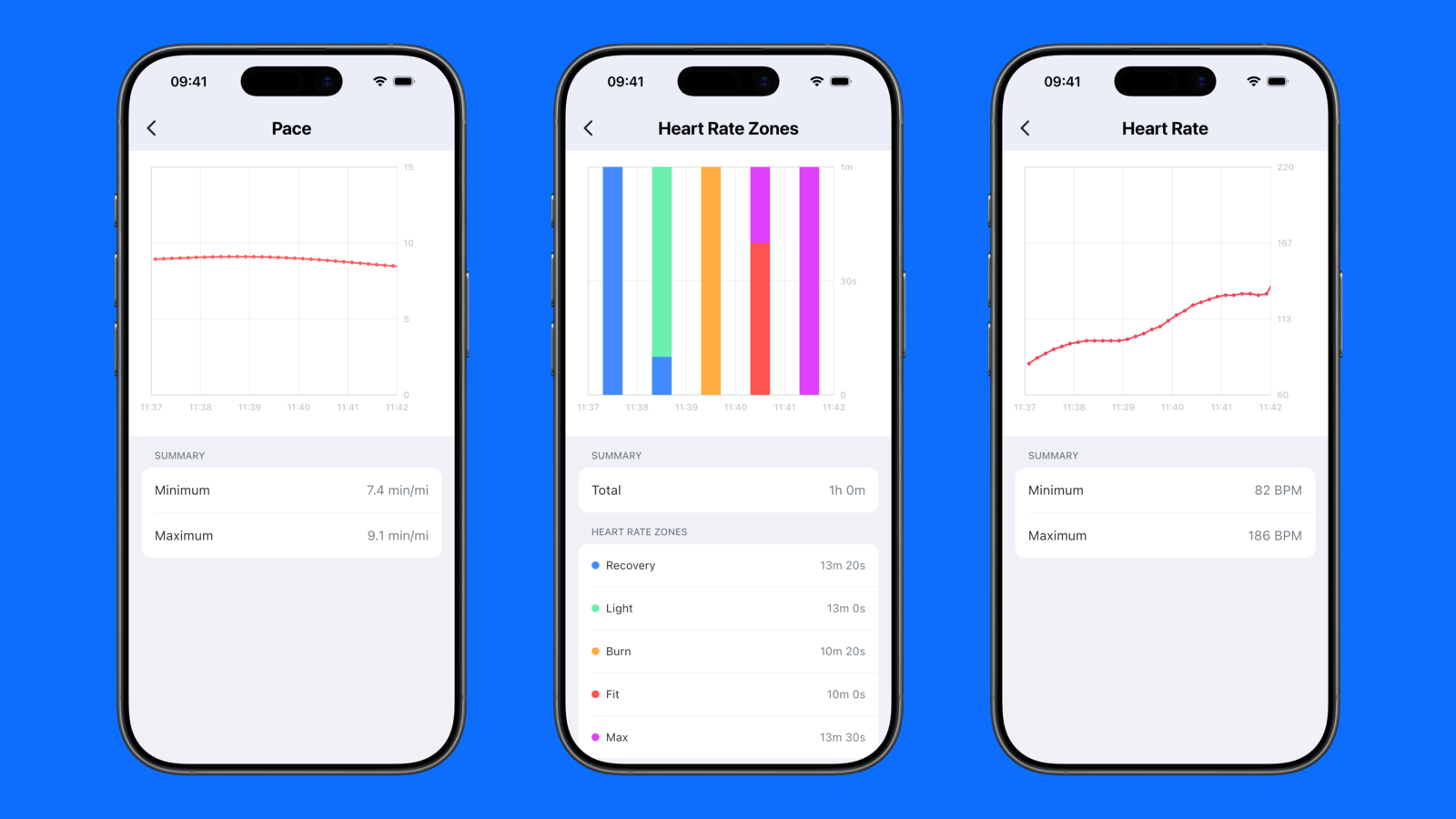
Aidlab lepiej obsługuje uprawnienia Apple Health i czasowo niedostępne dane zdrowotne, wznawia synchronizację po powrocie połączenia oraz stabilniej zbiera dane i łączy się z urządzeniem w tle. Czytelniejsze są również zakresy tempa, czyszczenie lokalnej pamięci i ręcznie dodawane lub edytowane treningi.
SDK
Aidlab SDK 2.5.0
Wydaliśmy Aidlab SDK 2.5.0 z przewidywalnymi wynikami poleceń we wszystkich wrapperach platformowych. Pakiet Unity zawiera teraz aktualne integracje dla Androida, iOS, macOS i Windows oraz przykłady i dokumentację zgodne z Unity 6.
Aplikacja mobilna
Analiza EKG po przerwanym zapisie
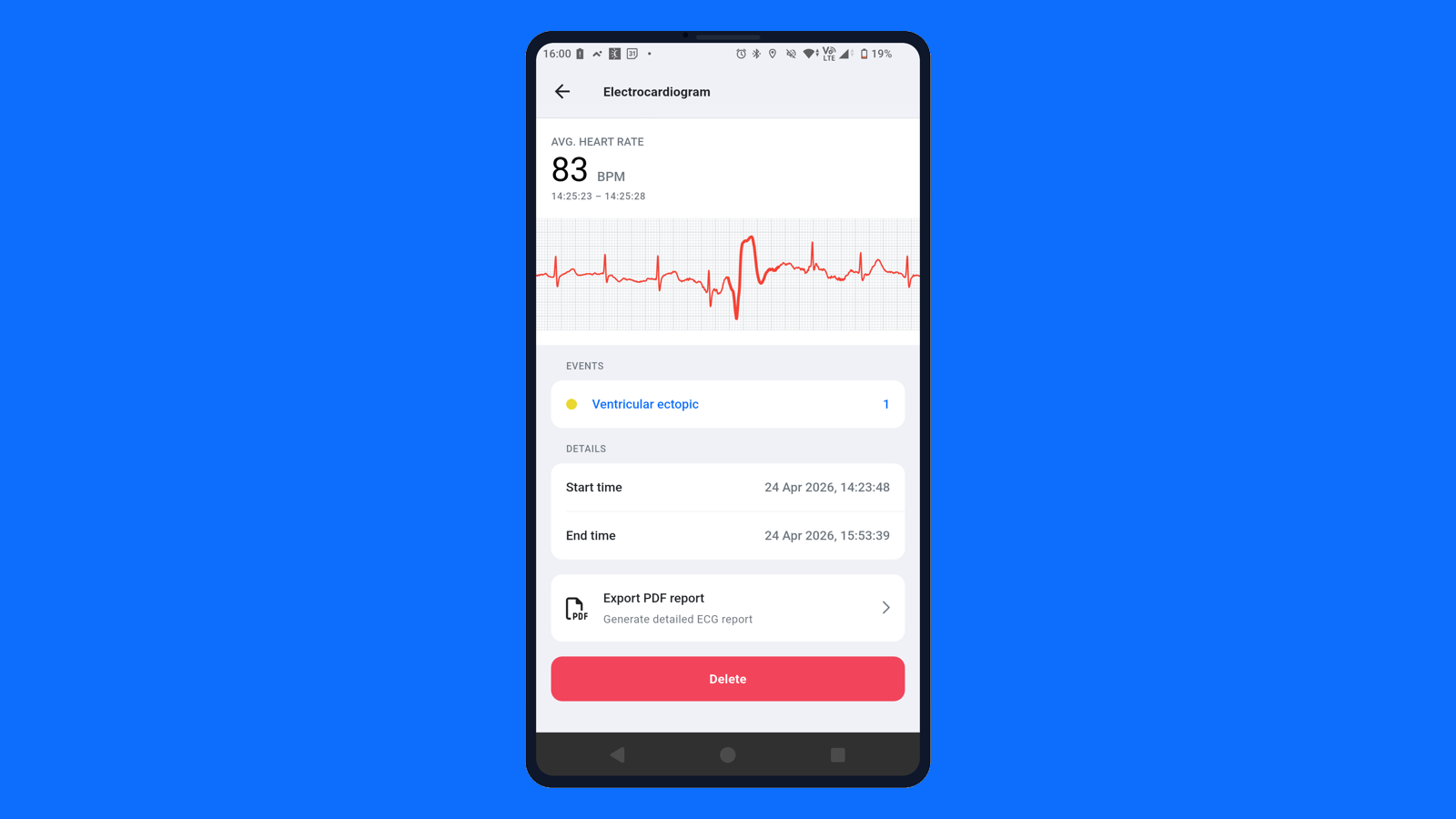
Zaktualizowaliśmy analizę EKG w aplikacji Aidlab, dodając nowszy model i lepsze zabezpieczenia wykrywania pobudzeń ektopowych po wstrzymaniu pomiaru. Ogranicza to fałszywe oznaczenia rytmu po przerwanych lub zaszumionych fragmentach EKG.
Aplikacja mobilna
Szczegółowy przegląd treningów
Przegląd treningów w aplikacji Aidlab pokazuje więcej szczegółów. Łatwiej wrócisz do ostatnich sesji, otworzysz składniki treningu na osobnych wykresach i odczytasz raport EKG z lokalnej sesji. Usprawniliśmy też alerty dotyczące wstrzymywania i wznawiania treningu.
Panel
Dokładne filtry dat i historia raportów
Przegląd danych w dashboardzie zyskał dokładniejsze filtrowanie dat z wyborem godziny. Podczas tworzenia raportów Aidmed bardziej niezawodnie zachowuje też kontekst historii programu.
SDK
Aidlab SDK 2.4.0
Wydaliśmy Aidlab SDK 2.4.0 z czytelniejszymi, wspólnymi kodami błędów oraz odświeżonymi bibliotekami dla Fluttera, Pythona, Unity, Androida i platform Apple.
Aplikacja mobilna
Poprawki osi czasu i śledzenia
Poprawiliśmy stabilność i wygodę korzystania z osi czasu snu, wykresów skumulowanych, liczenia kroków, krokomierza, śledzenia w tle oraz edycji komponentów w trybie ciemnym.
Aplikacja mobilna
Wstrzymywanie i wznawianie treningów
W aplikacji Aidlab możesz teraz wstrzymywać i wznawiać treningi. Synchronizacja snu i danych zdrowotnych jest pełniejsza, a analiza faz snu uwzględnia wybudzenia. Historię zdrowia i treningów łatwiej przejrzysz na przewijanym wykresie, stabilniejszych mapach tras oraz dzięki poprawionej analizie tempa i przewyższeń.
Panel
Pewniejsza paginacja PDF
Komponenty raportów w dashboardzie są teraz bardziej niezawodnie dzielone na strony w plikach PDF.
Aplikacja mobilna
Historia zdrowia zapisana w telefonie
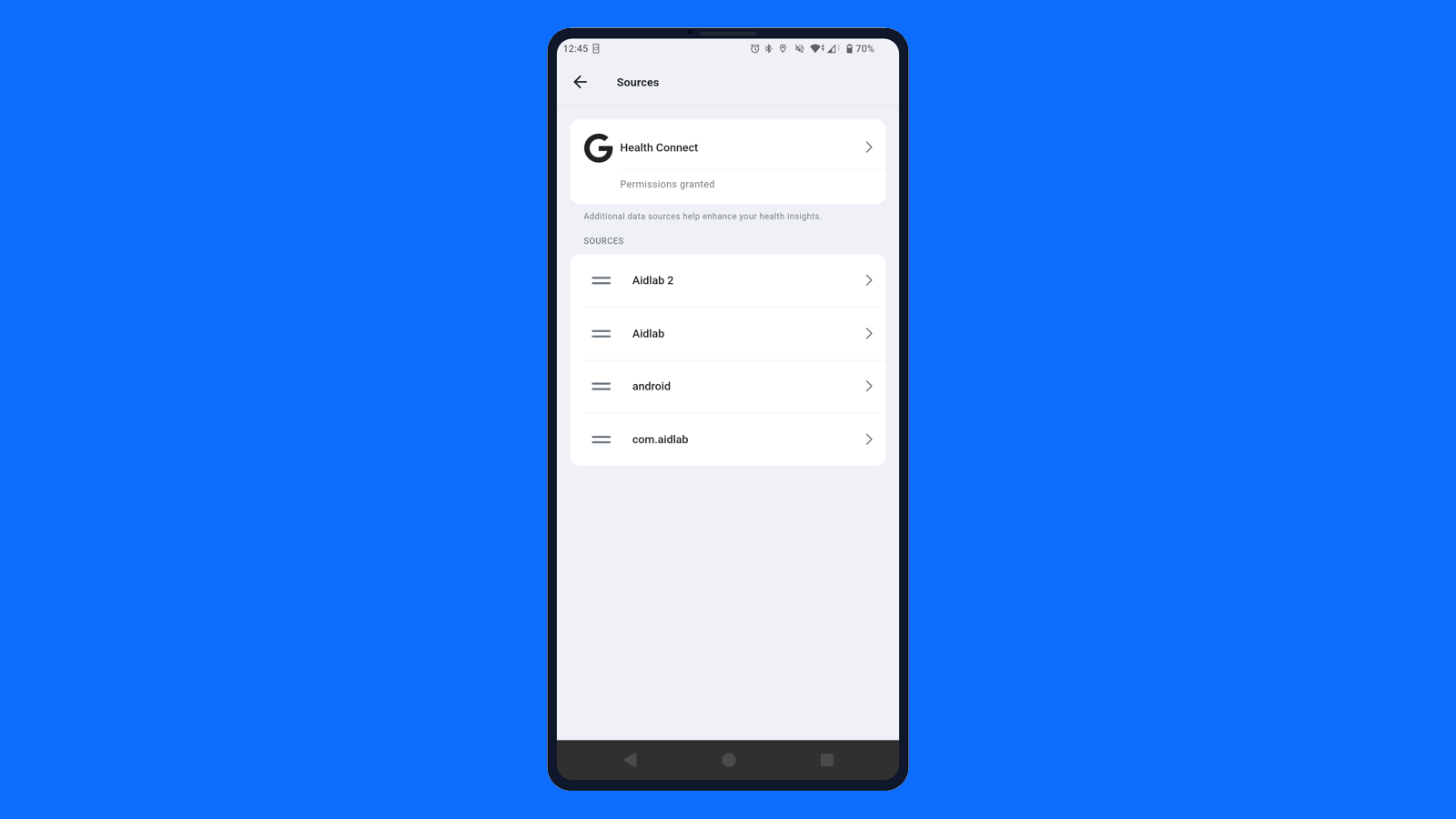
W maju skupiliśmy się na tym, żeby Aidlab był mniej zależny od chmury w codziennym użyciu. Więcej historii zdrowia jest teraz zapisane bezpośrednio w telefonie, więc osie czasu i wykresy ładują się szybciej, działają przy słabym połączeniu i pewniej odtwarzają się po zalogowaniu. Uporządkowaliśmy też rozpoznawanie źródeł danych, ograniczając duplikaty i czytelniej oddzielając pomiary z Aidlab, Health Connect oraz innych synchronizowanych źródeł.
Aidlab
Filtrowanie tętna podczas ruchu
Aidlab bardziej rygorystycznie ocenia jakość sygnału tętna. Krótkie zakłócenia są skuteczniej odrzucane, zwłaszcza gdy pasek na chwilę się przesunie — na przykład podczas schylania, poprawiania ubrania, dociągania paska lub zmiany pozycji w trakcie treningu. Dzięki temu przebieg tętna jest czystszy, a artefakty ruchowe rzadziej są traktowane jak rzeczywiste zmiany fizjologiczne.
Panel
Czytelniejsze źródła pomiarów
Dashboard dokładniej pokazuje, skąd pochodzą dane zdrowotne. Importowane pomiary tętna, lokalizacji, odstępów RR, pozycji ciała i innych parametrów zachowują więcej informacji o źródle oraz czytelniejsze nazwy. Poprawiliśmy też obsługę pomiarów o wartości zero, aby wykresy i raporty nie pomijały prawidłowych danych.
Panel
Bardziej elastyczne programy i raporty
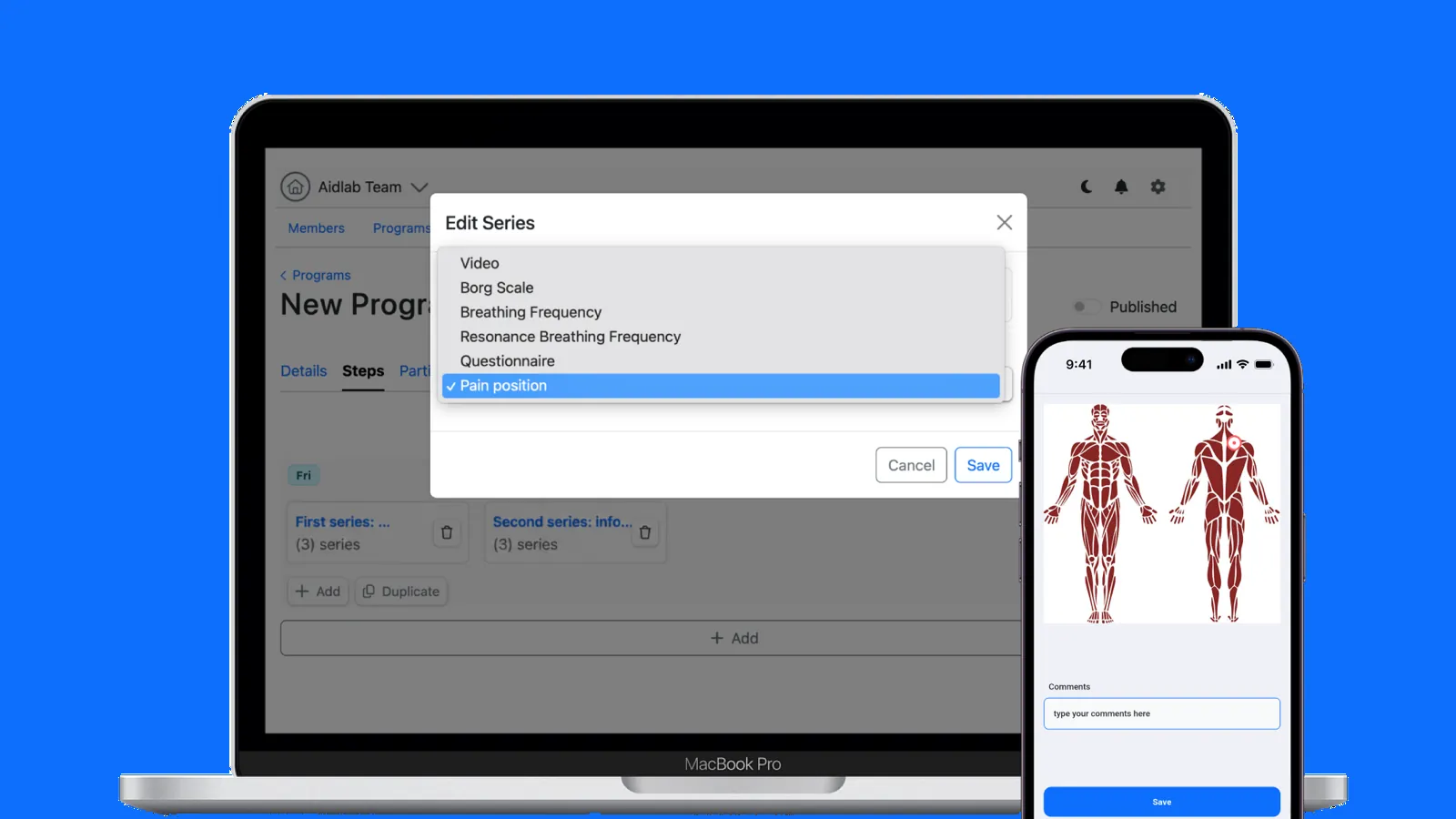
W kwietniu usprawniliśmy pracę z programami klinicznymi i wiarygodność raportów. W programach można teraz powielać dni i wybierać rodzaj bólu, dzięki czemu plany rehabilitacji i monitorowania uwzględniają więcej kontekstu. Raporty i wykresy mają również bardziej spójne jednostki, lepszą paginację, poprawne przedziały histogramów i pewniejsze zakresy najnowszych danych.
Aplikacja mobilna
Bezpieczniejsza analiza EKG i snu
Analiza EKG i snu działa teraz ostrożniej tam, gdzie ma to znaczenie. Mocniejsze zabezpieczenia rytmu i zaktualizowana obsługa sygnału ograniczają błędne interpretacje zaszumionego EKG po wysiłku, a parowanie pewniej obsługuje wybór urządzenia. Podsumowania snu uwzględniają też dodatkowe zabezpieczenie czasu pobudki, co poprawia wyniki nocy z niejednoznacznym przebiegiem wybudzenia.
Aplikacja mobilna
Health Connect i śledzenie w tle
W marcu usprawniliśmy cały proces śledzenia w aplikacji. Android synchronizuje znacznie więcej danych przez Health Connect, aktualizacje treningów z Apple Health działają płynniej, a trwający trening na Androidzie może być widoczny w stałym powiadomieniu. Poprawiliśmy też przekierowania z powiadomień i udostępnionych linków po logowaniu, obsługę krótkich przerw w śnie, awarie synchronizacji w tle, Bluetooth, zużycie baterii przez lokalizację oraz udostępnianie treningów i formatowanie zależne od języka.
Panel
Filtrowanie raportów i metryki aktywności
Analizy i raporty w dashboardzie są bardziej spójne dzięki poprawkom filtrowania treningów i zdarzeń, obsługi zakresów osi czasu oraz obliczania równowagi autonomicznego układu nerwowego. Dodaliśmy też dystans na rowerze i liczbę pokonanych pięter oraz czytelniejsze podsumowania.
Firmware
Bardziej spójne dane tętna
Poprawiliśmy spójność danych tętna w Aidlab, dopracowując synchronizację pakietów i wygładzanie sygnału.
SDK
Aidlab SDK 2.3.0
Wydaliśmy Aidlab SDK 2.3.0 ze zunifikowaną obsługą platform i zaktualizowanym SDK Flutter dla integratorów.
Aplikacja mobilna
Drzemki i metryki Apple Health
Dodaliśmy wykres snu w ciągu dnia, dzięki czemu drzemki są widoczne i można je łatwo porównać ze snem nocnym. Synchronizacja z Apple Health obsługuje teraz również więcej metryk: tętno, tętno spoczynkowe, SpO₂, VO₂max, częstość oddechu i glikemię.
Panel
Wyszukiwanie programów i powiadomienia o zakończeniu
Usprawniliśmy wyszukiwanie programów i powiadomienia o ich zakończeniu, aby ułatwić pracę kliniczną.
SDK
Aidlab SDK 2.1.5 dla Windows
Aidlab SDK 2.1.5 poprawia łączność z urządzeniami w systemie Windows.
Firmware
Znaczniki czasu zarejestrowanych sesji
Poprawiliśmy obsługę daty i czasu w Aidlab, ograniczając niespójności osi czasu w zarejestrowanych sesjach.
Aplikacja mobilna
Poprawki stref czasowych i śledzenia treningów
Poprawiliśmy obsługę stref czasowych i czasu letniego na wykresach oraz stabilność śledzenia treningów, w tym map tras i przewyższeń. Aktualizacja zawiera też poprawki procesu aktualizacji aplikacji i awarii.