
Measuring heart rate variability
Updated onJuly 10, 2026
Heart Rate Variability (HRV) describes how much the time between your consecutive heartbeats changes over time. In Aidlab, HRV is a useful way to track recovery and stress trends from day to day.
Aidlab calculates HRV from ECG-derived RR intervals (beat-to-beat timing) and reports it as RMSSD (in milliseconds).
To view your HRV data
- Open the Aidlab app and log in to your account.
- Pair with your Aidlab if you haven't already.
- Go to the Dashboard tab and tap the button in the top-right corner.
- Add the Heart Rate Variability component to your dashboard.
- Tap the Heart Rate Variability component to explore details and trends.
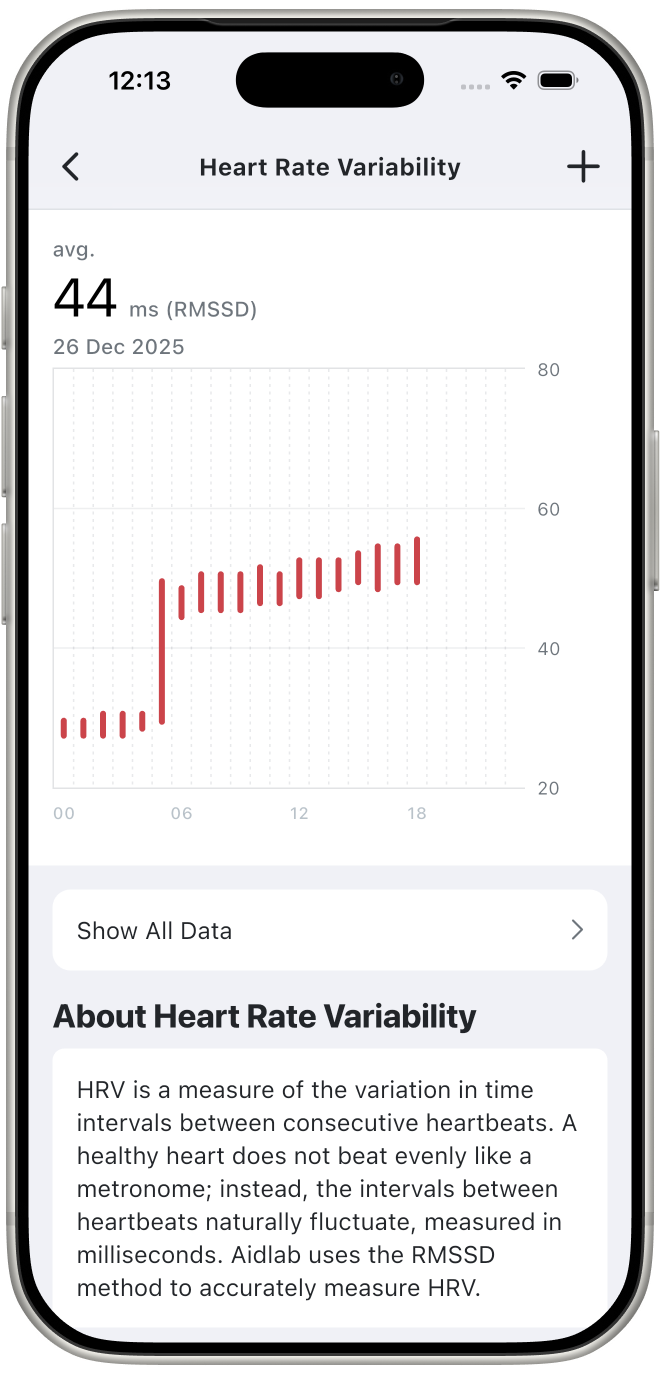
What Aidlab measures (RMSSD)
RMSSD is a time-domain HRV metric computed from successive differences between RR intervals.
- Higher RMSSD can be a sign of better recovery and stronger parasympathetic activity.
- Lower RMSSD can appear during stress, poor sleep, illness, dehydration, or high training load.
HRV is highly individual. Compare your readings to your own baseline rather than to other people.
Export RR intervals (raw data)
If you want to run your own HRV analysis, you can download the RR interval series used to compute HRV.
See: Exporting readings.
Learn more about HRV
For background, measurement recommendations, and common pitfalls, read: Why and how you should measure your Heart Rate Variability (HRV).
Important information
Aidlab provides HRV estimates for informational purposes and does not diagnose medical conditions.