



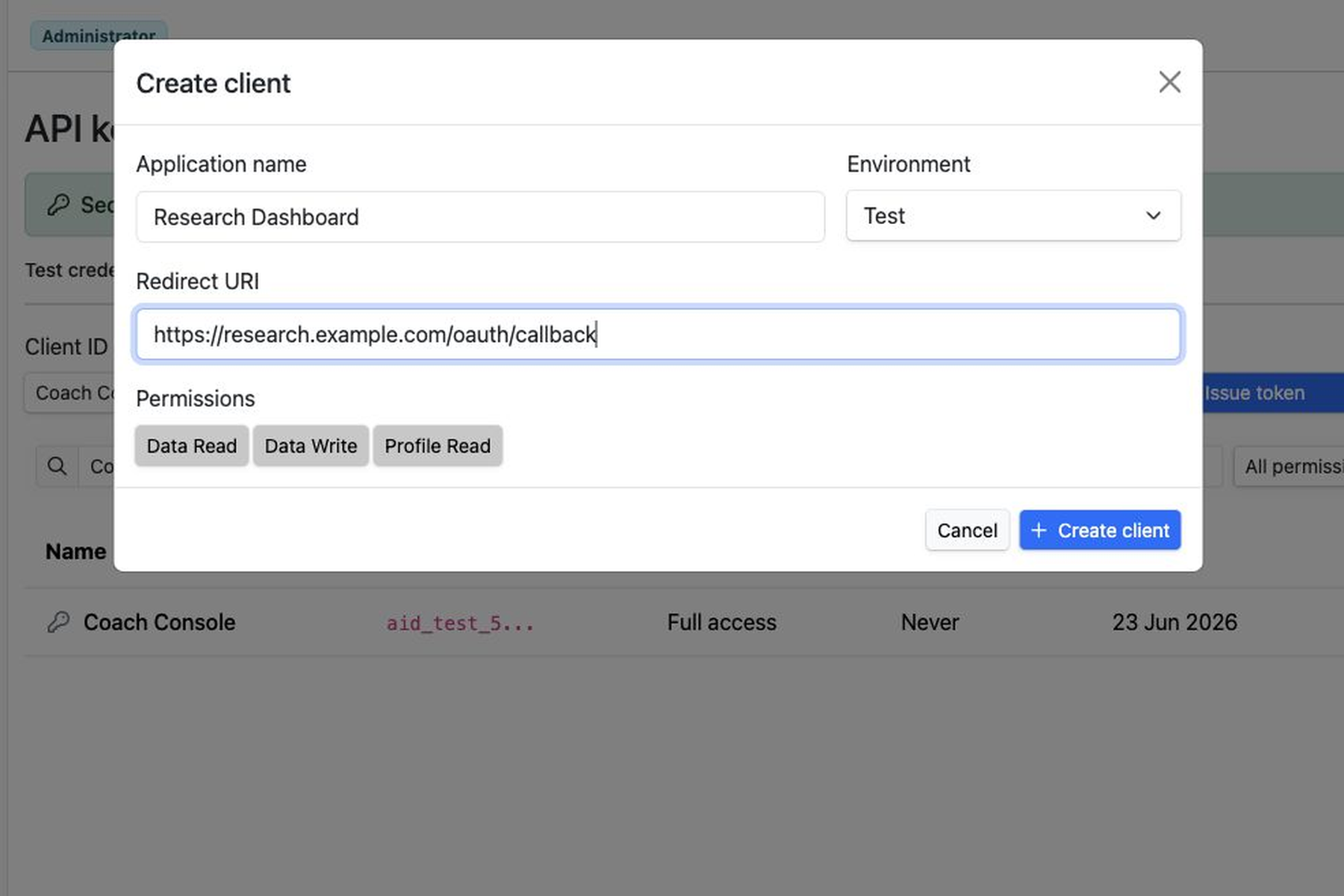
Aidlab Cloud now includes a Developers shortcut and API keys page for creating OAuth clients, requesting user consent, and starting controlled partner integrations.
Aidlab Cloud now includes a dedicated Developers shortcut and API keys page, supporting controlled partner apps, research workflows, coaching tools, and backend integrations. Developers can create an OAuth client, register a redirect URI, request one or more available scopes, and send the user through Aidlab consent before accessing supported API endpoints.
This is a supported foundation for third-party user authorization in Aidlab. It gives developers a controlled path to start integrations while keeping the user in control of what an external application can access.
What changed
Developers can now create API clients inside Aidlab Cloud without exchanging credentials over email. Each client has a name, environment, client ID, client secret shown only once, redirect URI, and a small set of OAuth scopes:
data:readdata:writeprofile:read
A partner application can redirect the user to Aidlab with response_type=code, a registered client ID, redirect URI, requested scopes, and state. After the user approves access, Aidlab returns a one-time authorization code. The partner backend exchanges that code for a short-lived access token and a refresh token for renewal.
The access token is scoped to both the application and the Aidlab user who approved it. Third-party access to another Aidlab user's data uses authorization-code consent; client credentials remain available for owner-controlled server-to-server access.
Why it matters
Health integrations need stronger boundaries than a shared long-lived token. The authorization has to represent the application, the user, and the exact permissions the user approved.
This release adds those boundaries:
- Developers register an OAuth client and redirect URI.
- Users review the requested permissions in Aidlab.
- Aidlab issues a one-time authorization code after approval.
- The partner backend exchanges the code for scoped tokens.
- Users can later review connected apps and revoke access.
OAuth tokens are accepted only on explicitly supported endpoints. Unknown endpoints are denied by default, and current OAuth access does not include sessions or locations. The initial scope set is intentionally small so integrations start from a clear permission model instead of broad account-level access.
Built for controlled partner access
The Developers API keys page includes client creation with a registered redirect URI, client secret shown only once, copy controls, client secret rotation, and client revocation. Aidlab also provides a separate consent screen and connected-app revocation for user-authorized access.
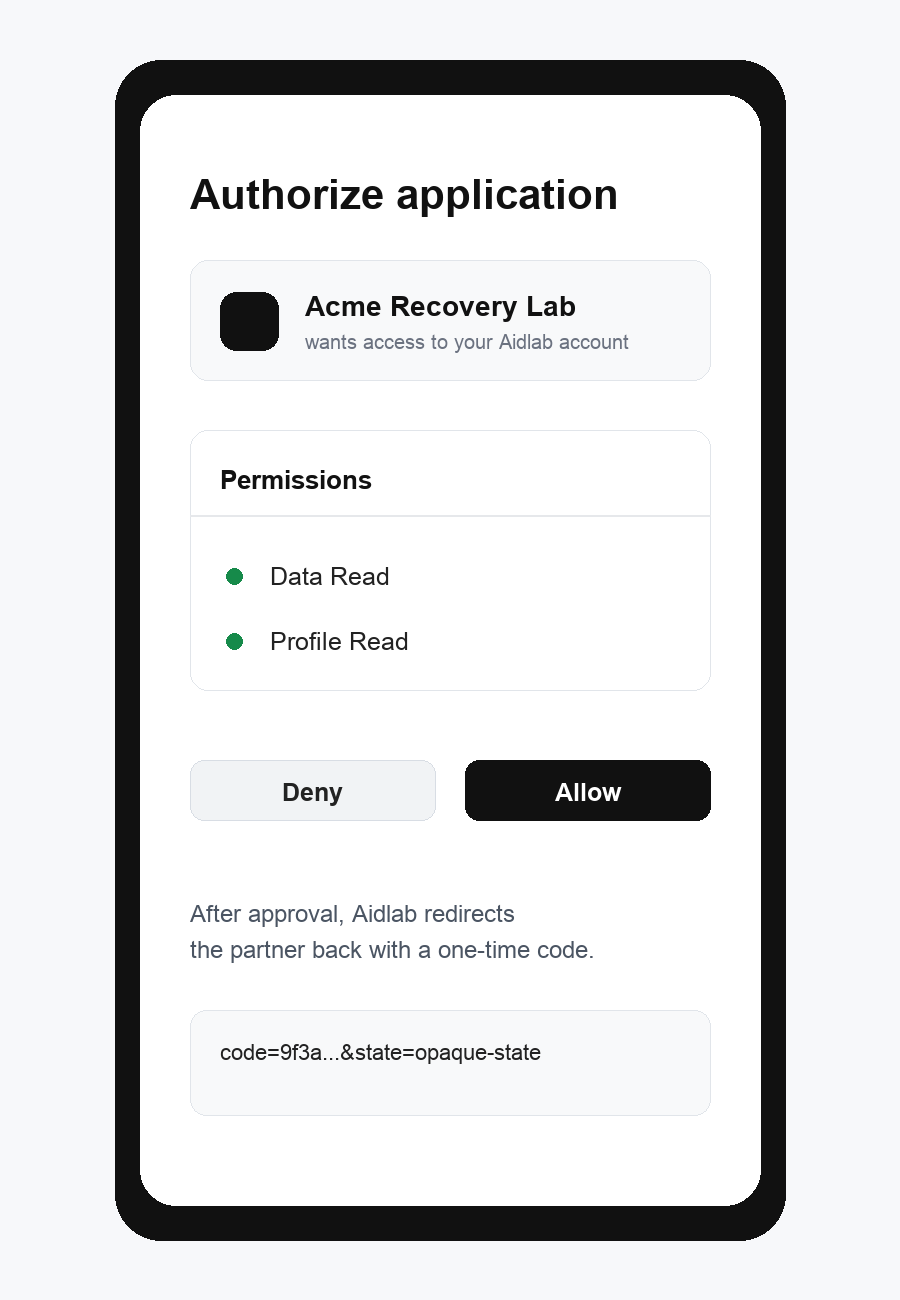
The release supports the authorization-code path for an external application: create a client, register its callback URL, request data:read and profile:read, authorize as an Aidlab user, exchange the authorization code, use the refresh token to renew access, and confirm that the resulting access is limited to endpoints covered by the approved scopes.
What is next
This is a controlled step toward broader partner integrations in Aidlab. Web API documentation is now published on the Aidlab landing page alongside the existing SDK documentation.
The Developers shortcut and API keys page are available in Aidlab Cloud.