
Pairing Pulseoximeter
Updated onSeptember 13, 2026
Connect Pulseoximeter to the Aidlab app to see blood oxygen saturation (SpO₂) and pulse. The steps below show pairing on an iPhone.
Get ready
Open Aidlab and sign in. Turn on Bluetooth on your phone and allow the app access if prompted. Switch on Pulseoximeter and keep it close to your phone.
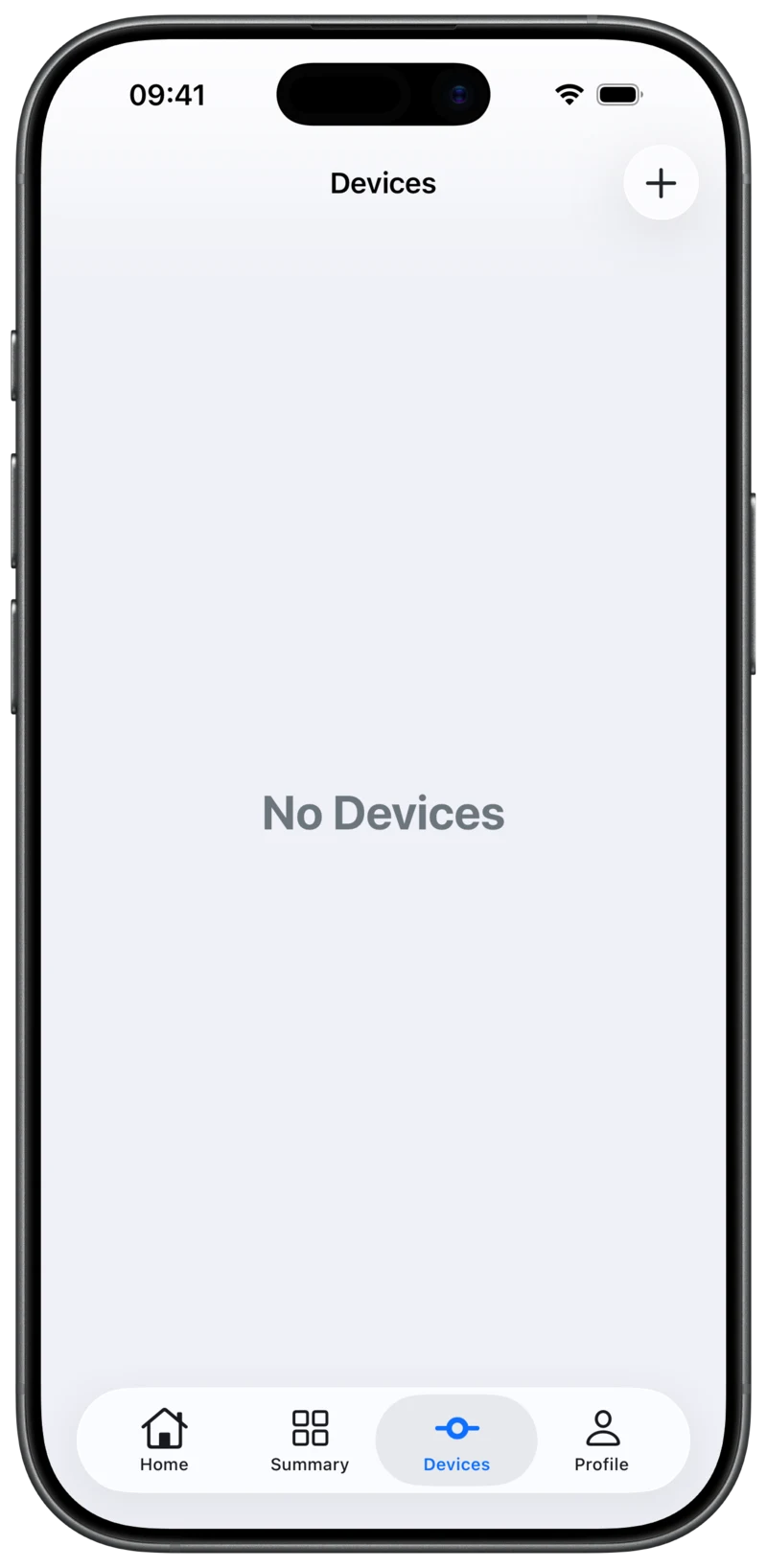
1. Open Devices
Select Devices in the app’s bottom navigation bar, then tap + in the top-right corner.
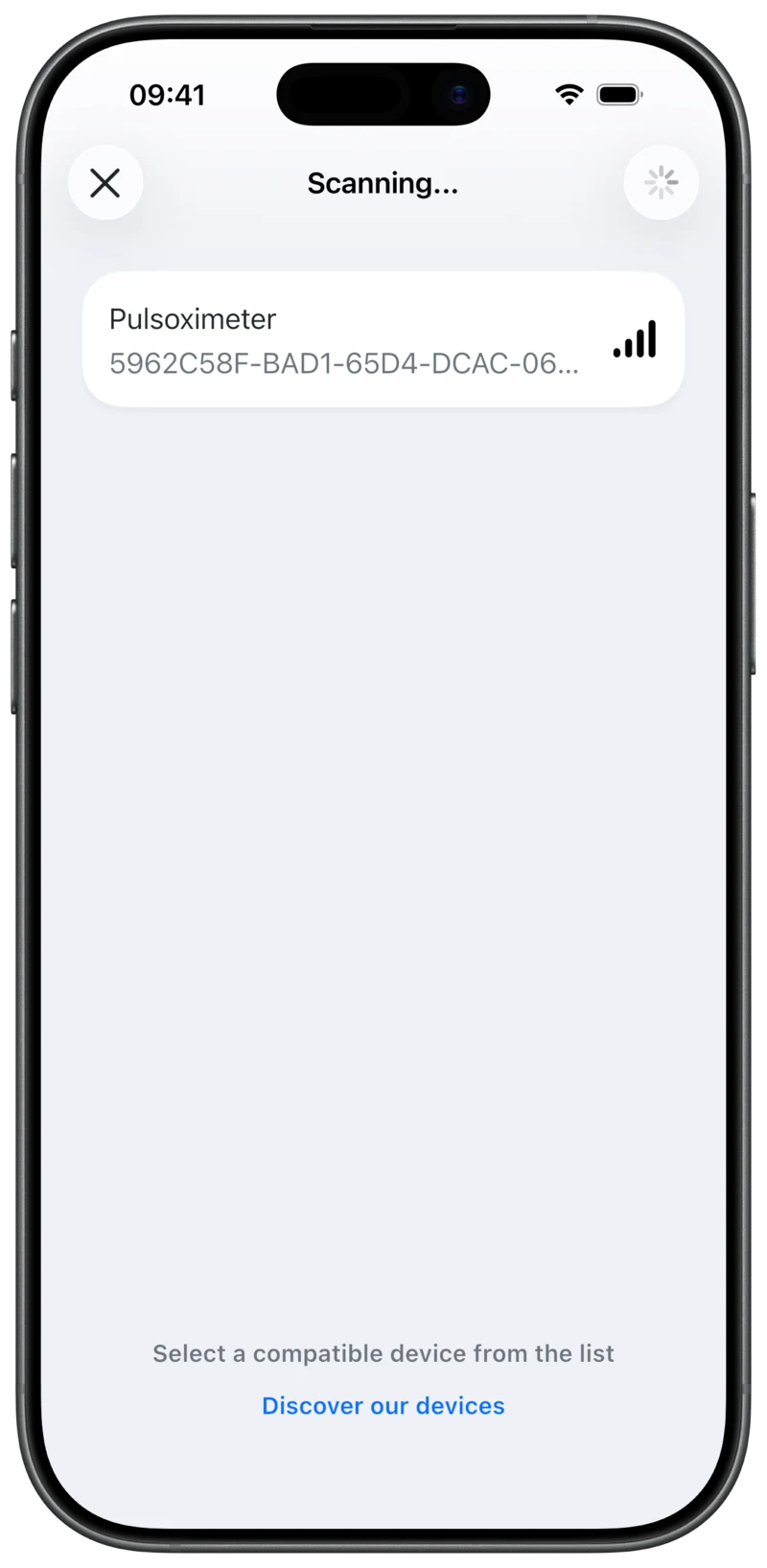
2. Select Pulseoximeter
Wait for Pulseoximeter to appear in the list, then tap its name.
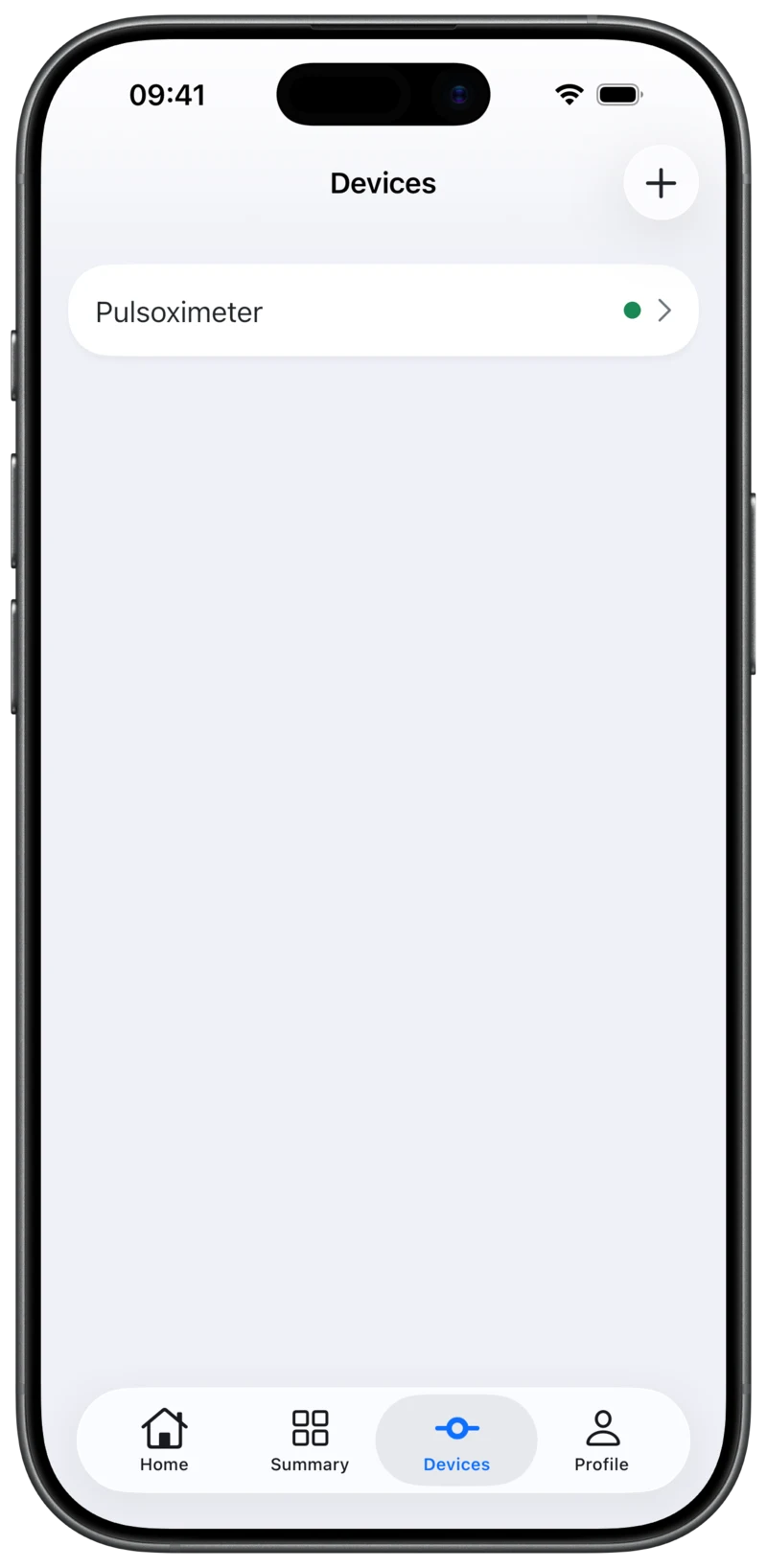
3. Check the connection
The app returns to Devices. A green dot next to Pulseoximeter means it is connected. Tap its name to open the live readings.
Next time, switch on Pulseoximeter and open Aidlab. If automatic connection is enabled in the device settings, the app will try to reconnect.
Next: Taking a measurement. If you could not connect, see connection troubleshooting.